

Starting a Conversation
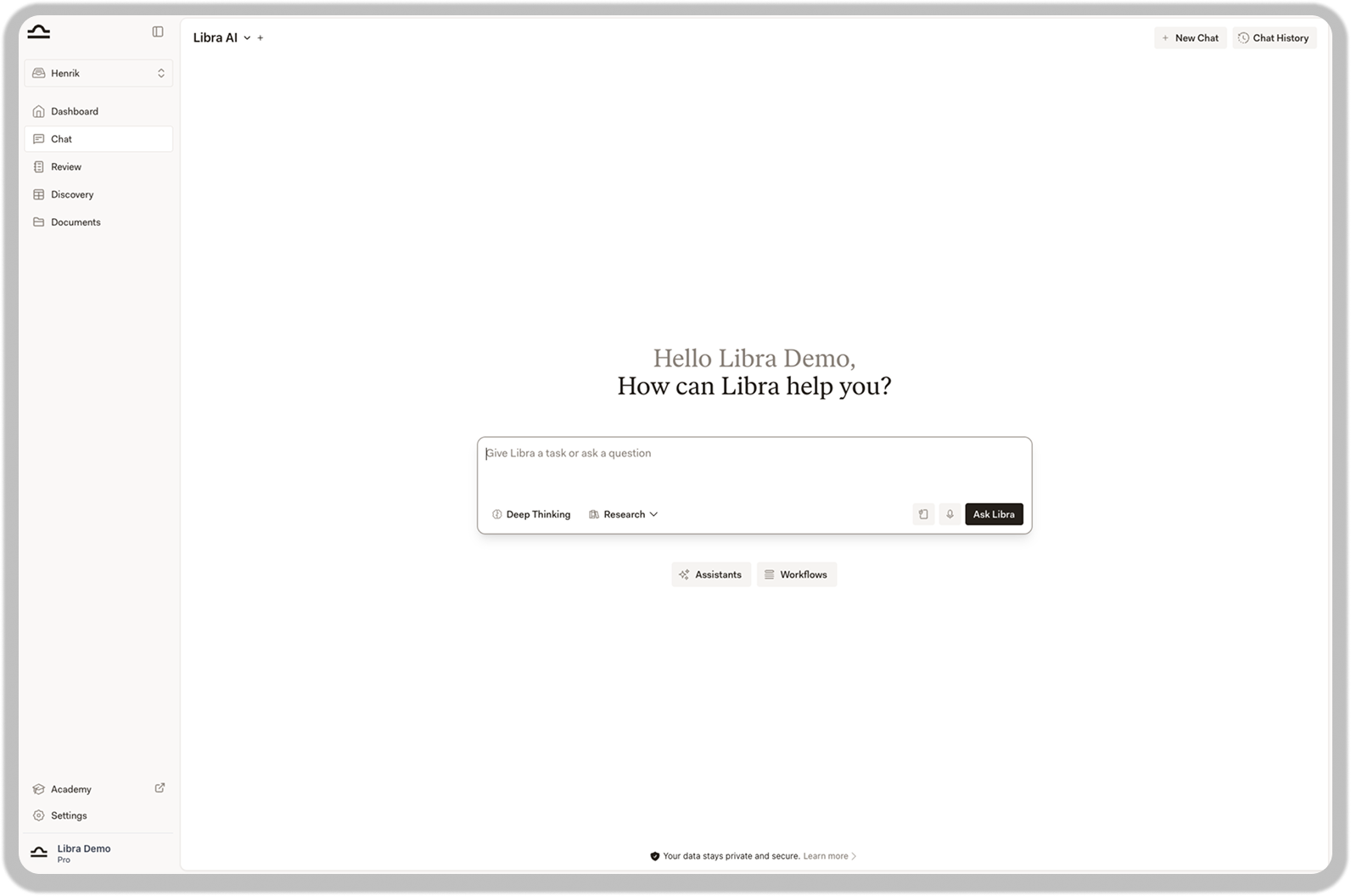
Log in to app.libratech.ai and you will see the chat interface. Simply type what you need in natural language, just as you would ask a colleague. For example: “What are the key elements of a valid employment contract under German law?” Libra will provide an answer based on your question. You can then ask follow-up questions, request changes, or export the response.
Chat Basics
Learn more about input options, working with responses, and tips for better results.
Understanding the Chat Interface
The chat interface has three main areas:- Input Field: Located in the center, this is where you type your questions or instructions. You will also find options to upload documents, use voice input, and activate special modes.
- Chat History: In the top right corner, you can start new conversations and access previous ones.
- Assistants & Workflows: Below the input field, you can access pre-configured assistants and automated workflows.
Tips for Your First Conversations

Remember: There is no wrong way to start. Libra learns from your follow-up questions, so even a simple “help me with X” is a great beginning.
Write naturally
Write naturally
You do not need to use special commands or technical language. Libra understands natural language in over 100 languages. Just describe what you need.
Provide context when helpful
Provide context when helpful
The more relevant information you include, the better the response. For example, instead of asking “Is this clause valid?”, you might ask “Is this non-compete clause valid under German labor law for a senior manager?”
Ask follow-up questions
Ask follow-up questions
Libra remembers the conversation context. You can refine or expand on previous answers by asking follow-up questions without repeating all the background information.
Next Steps
Set Up Your Workspace
Configure Libra to match your preferences.
Try Research Mode
Access legal databases for well-sourced research.