

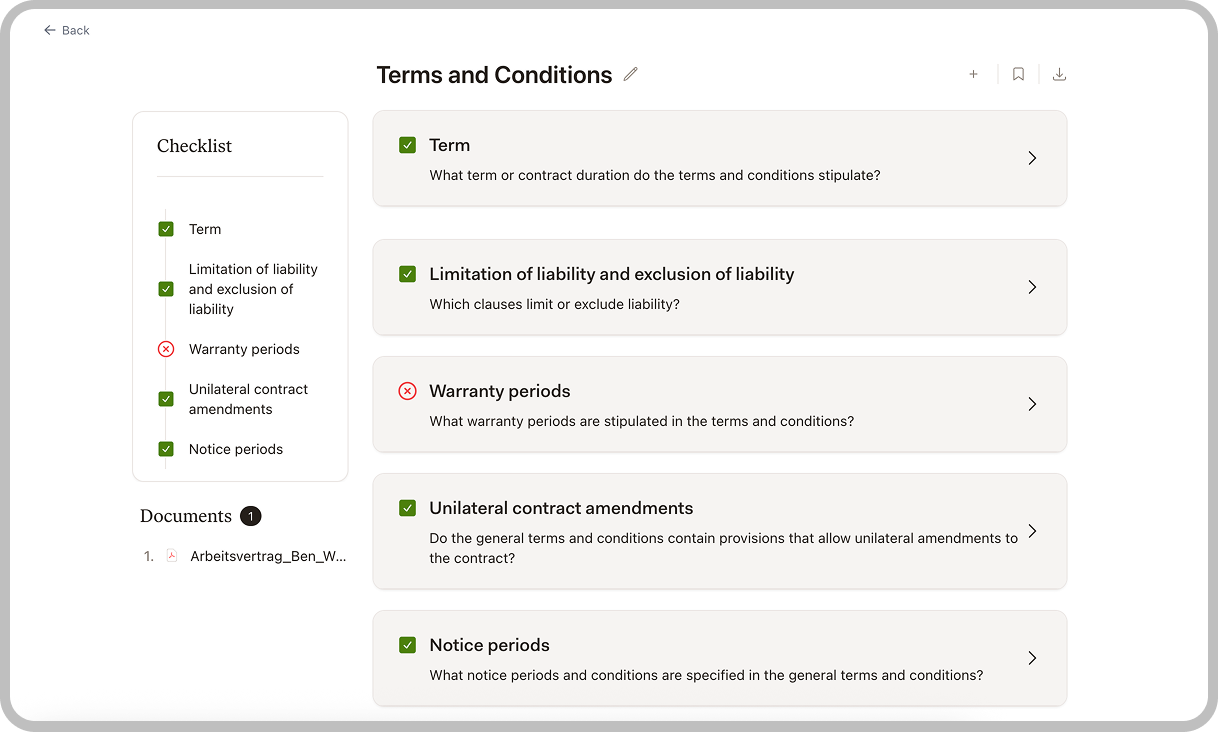
Before You Start
You can start a Review from a pre-built template or create a new one from scratch. Templates define the criteria that Libra checks for in each document.
Creating a Review
Select a Template
Choose an existing template or create a new one. Templates define what Libra looks for in each document.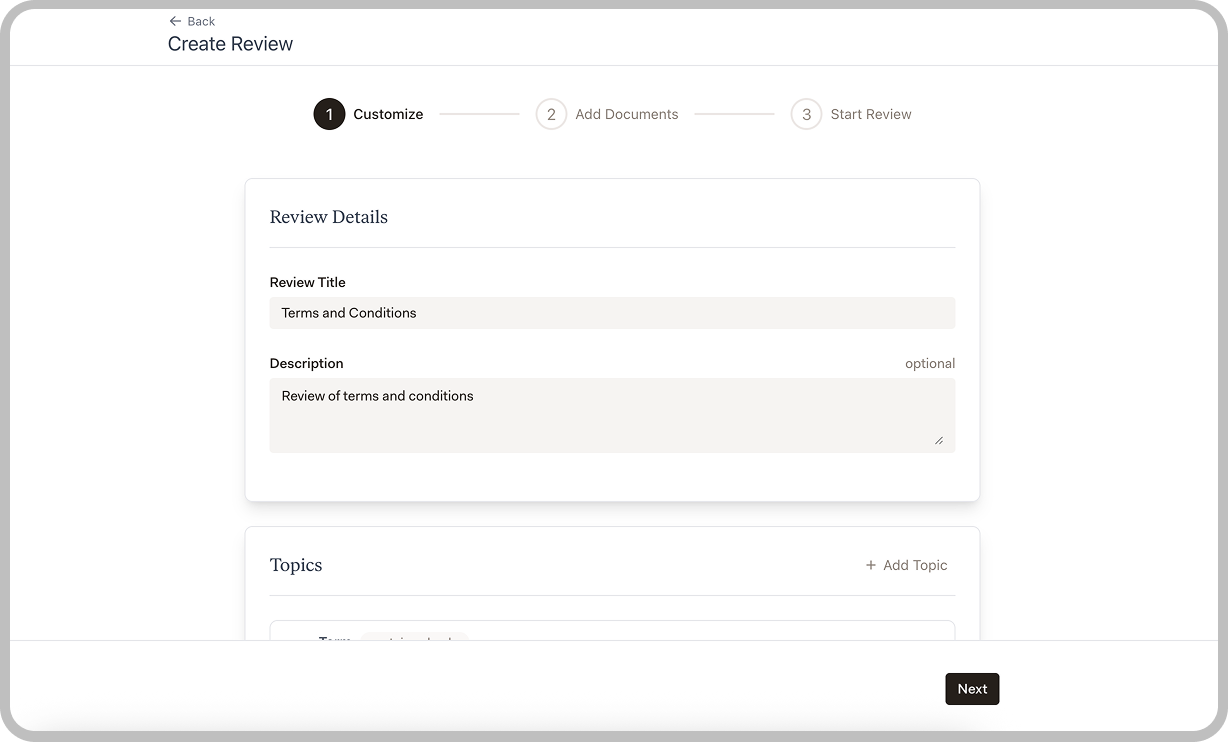
- Libra templates: Pre-built templates for common review tasks
- Team templates: Templates shared by your colleagues
- Your templates: Templates you’ve created
Upload Documents
Add the documents you want to review. You can upload multiple files to review them all against the same template.Supported formats include PDF and Word documents.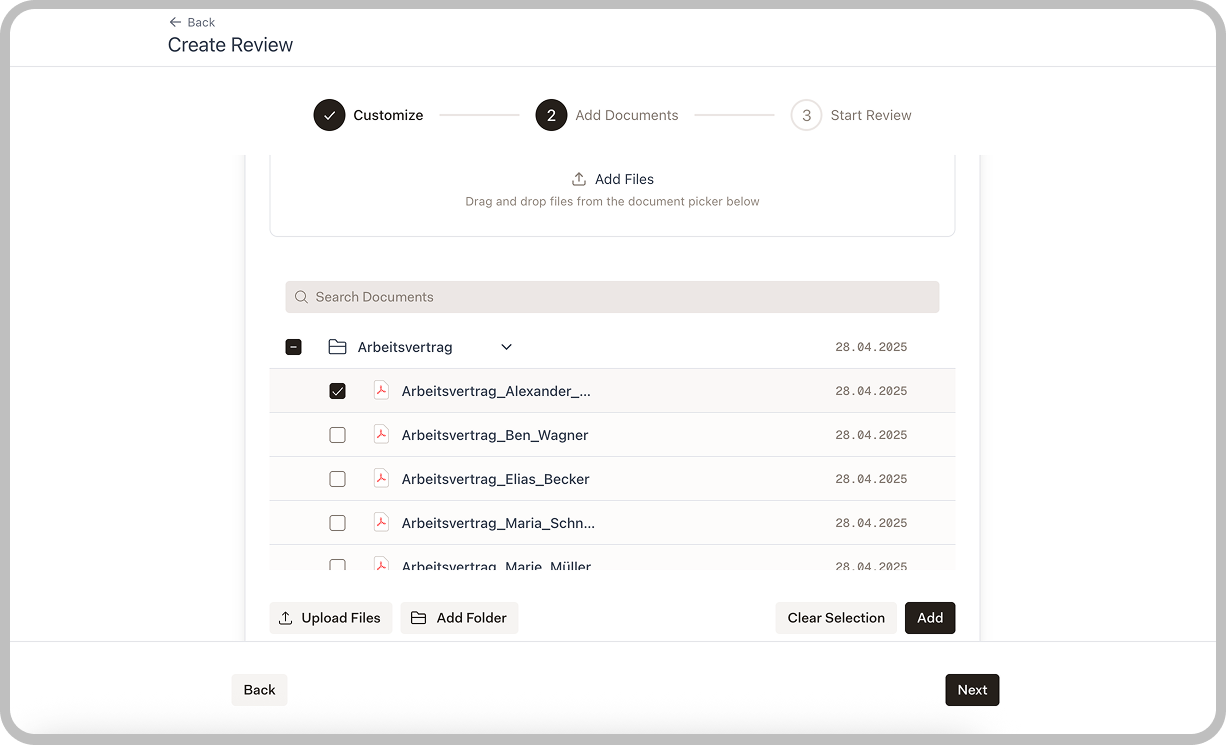
Start the Review
Review your selections and click Start Review to begin. Libra will analyze each document against your template criteria.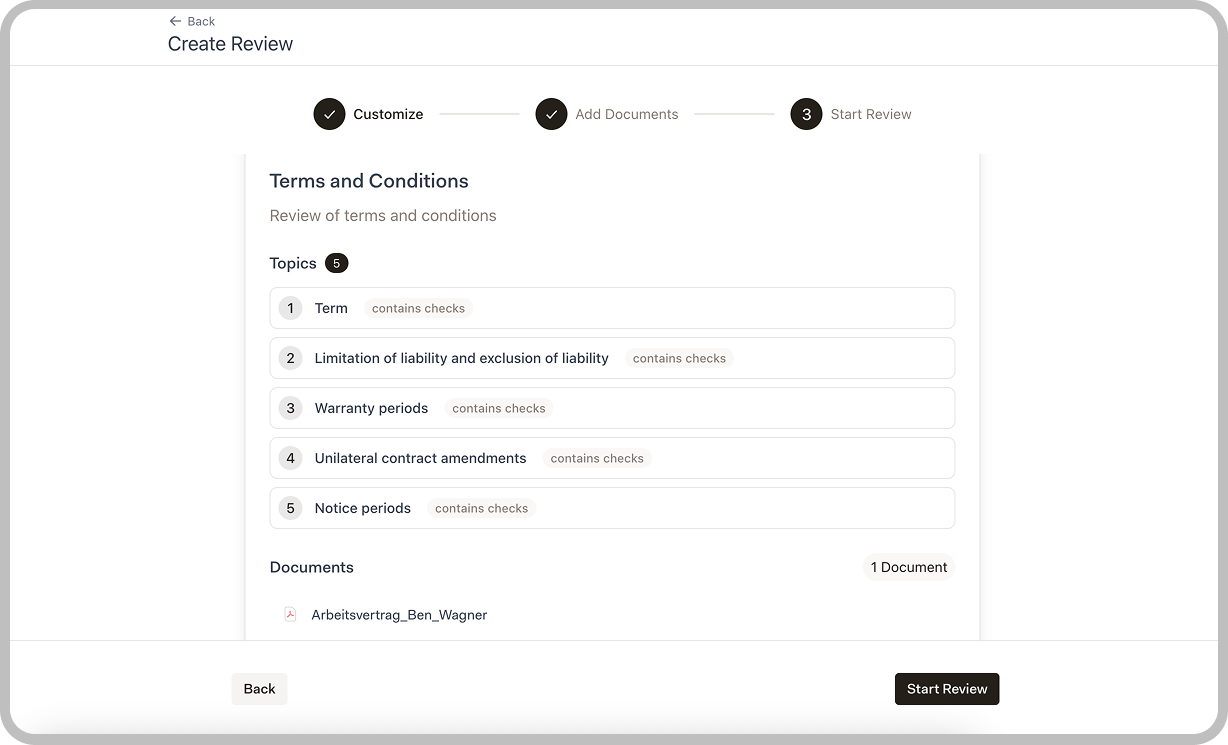
Understanding Results
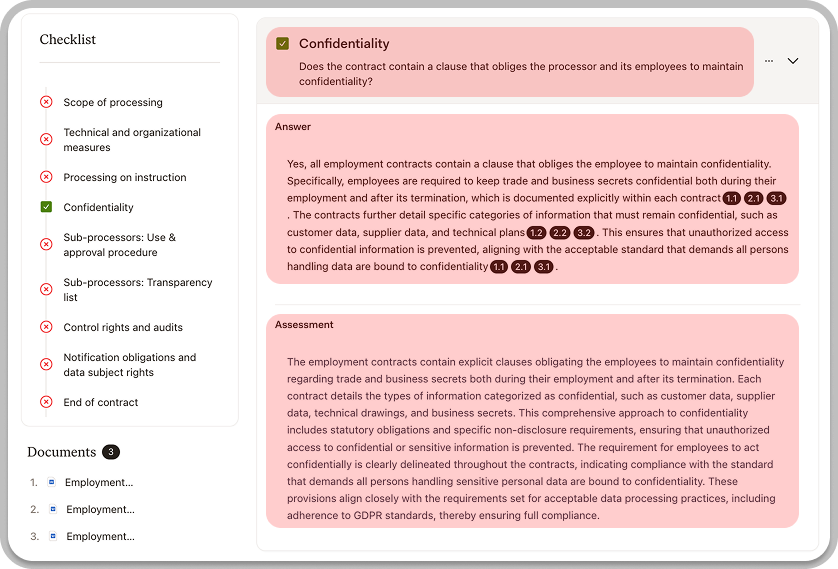
| Field | Description |
|---|---|
| Question | What the criterion is checking for |
| Answer | Libra’s finding, with numbered citations linking to source text |
| Assessment | Libra’s evaluation of whether the criterion is met |
Viewing Sources
Answers include numbered citations (like 1.1, 2.1) that reference specific passages in your documents. Click any citation to open the source panel, which displays the original document with the relevant text highlighted.Verifying Results
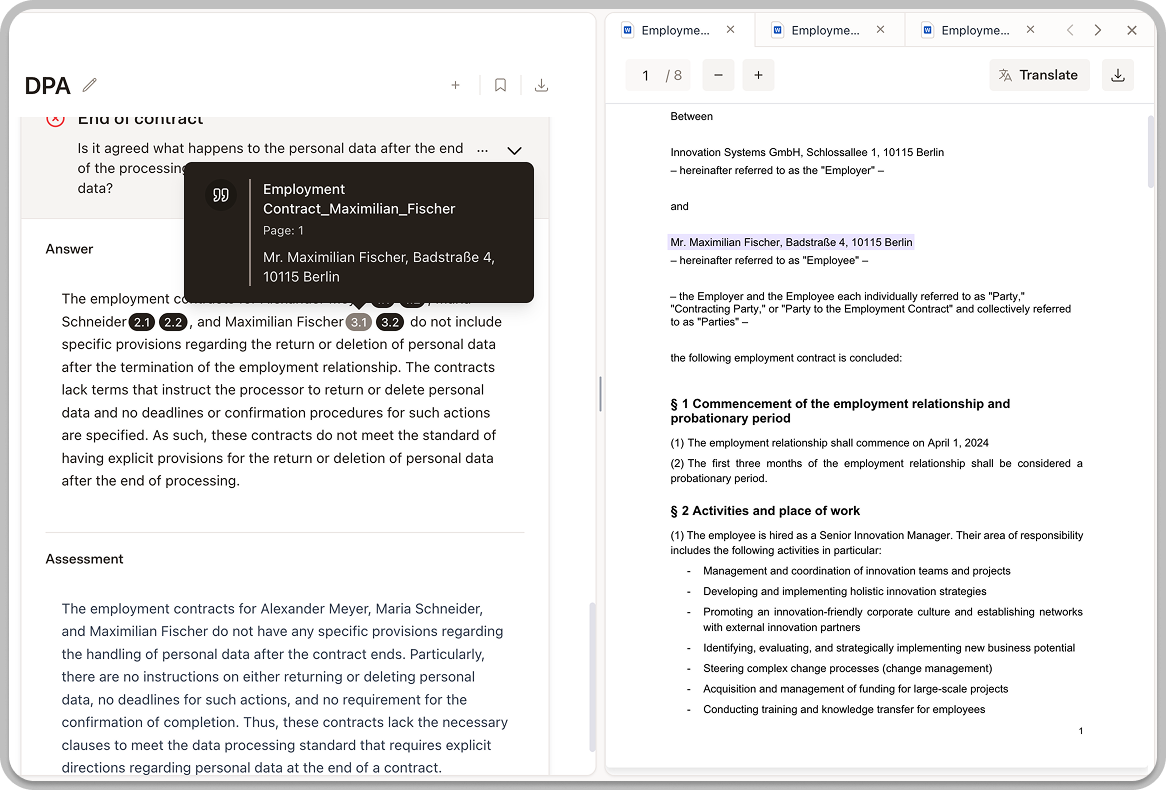
- Click on the finding to expand details
- Review the Source text that Libra identified
- Click the location link to view the text in context
- Confirm the analysis is correct
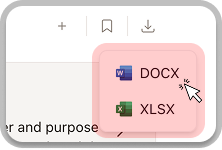
Exporting Results
Export your review for use outside Libra.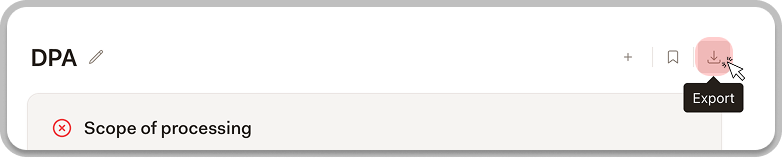
Saving and Sharing Reviews

- Return to a review later to continue analysis
- Save a review as a template by clicking the bookmark icon in the top right—reuse it for similar documents later
- Share completed reviews with team members
Tips for Effective Reviews
Choose the right template
Choose the right template
Select a template that matches your document type and review purpose. A general contract review template won’t work well for specialized compliance checks.
Review in batches
Review in batches
When reviewing multiple similar documents, process them together using the same template to ensure consistency.
Verify critical findings
Verify critical findings
For high-stakes decisions, always click through to the source text to confirm Libra’s analysis is correct.
Add notes as you go
Add notes as you go
Use the notes feature to capture your observations while reviewing. This saves time when writing reports later.
Next Steps
Templates
Create custom templates for your specific review needs.
Discovery
Extract data across large document sets.