


Sharing a Workflow does not share the Assistants inside it. If one of them isn’t reachable by the people you’re sharing with, Libra refuses the whole share and names the Assistant.
Finding a Workflow
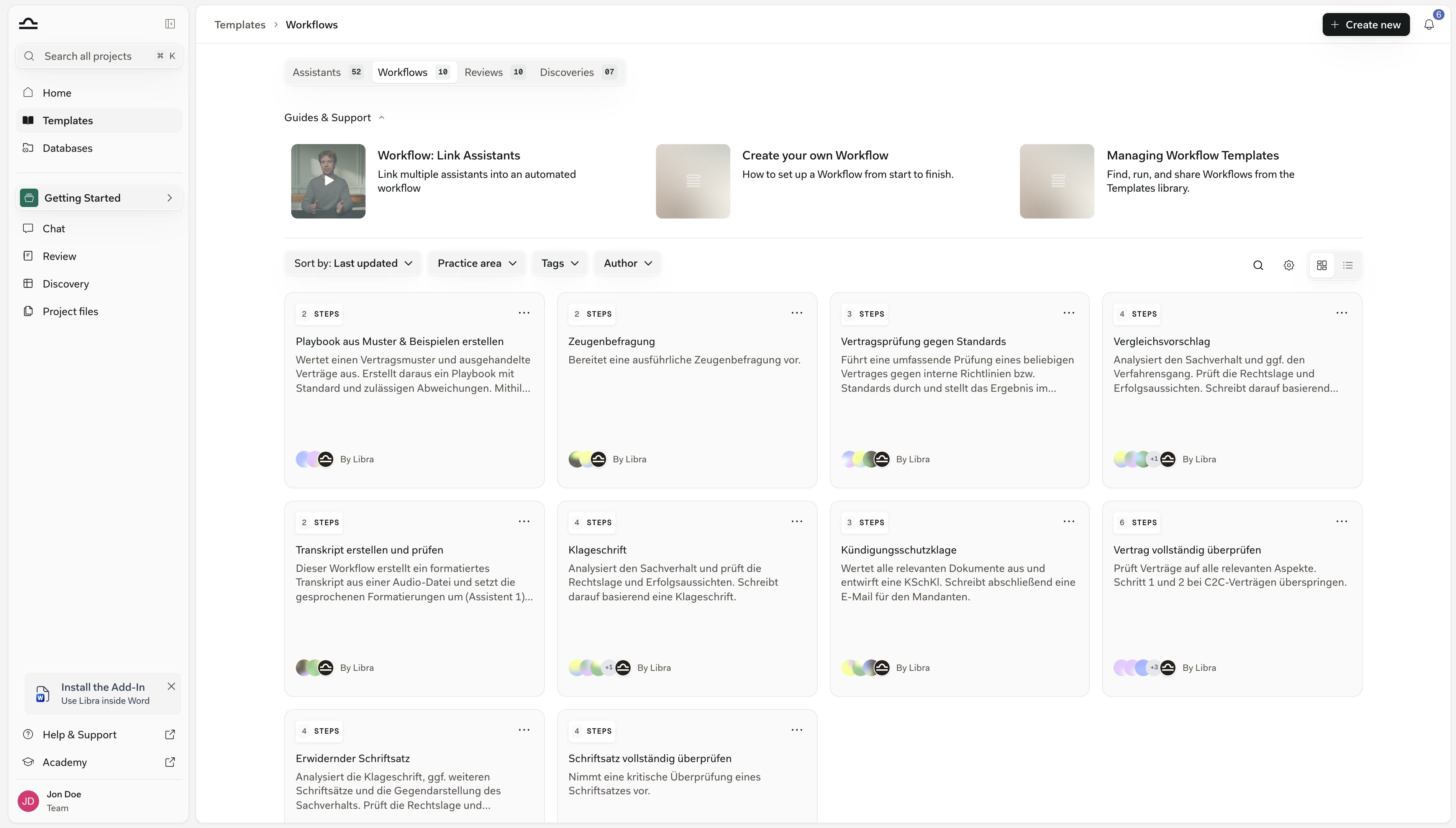
Click Templates in the global part of the sidebar and open the Workflows tab. Each card carries the Workflow’s name, its description, a Steps count, and its author — By you, By Libra, or By the colleague who wrote it. Four controls sit above the grid: Sort by, Practice area, Tags and Author. Author is the one that separates the library into its three sources, and you can tick more than one at a time.
Team is hidden when you’re the only person on your team, and Libra is hidden on deployments where Libra-curated templates are switched off.
On the right-hand side of the same row, the magnifying glass opens a search box that matches both the name and the description of the templates on the tab you’re currently on — it does not reach across the other tabs. The gear beside it, Advanced filters, adds Jurisdictions; the Language filter it offers on the other tabs is not shown for Workflows. The last two icons switch the grid to a list.
Running one
Hover a card and two buttons slide across it: View opens the Workflow so you can read its steps first, and Run starts it. Run opens a new chat with the Workflow loaded at step 1 and that step’s prompt already in the input — attach whatever that step needs, edit the prompt, and send. Nothing then advances on its own; you move between steps yourself. Workflow basics covers the step pager in the composer. The … menu in the top-right corner of the card holds Favorite, View, Run and Duplicate. Delete joins them only on Workflows you own or manage — it isn’t there on Libra’s, or on one a colleague shared with you.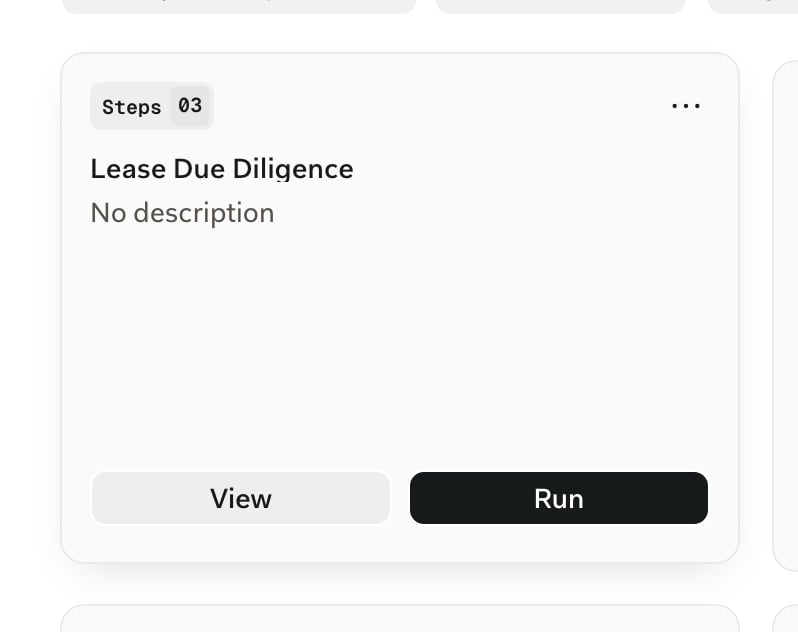
Customising a Workflow you didn’t write
Anything published by Libra, and anything a colleague shared with you at view level, opens read-only: the name, the steps and the per-step prompts are all locked. Duplicate is the way around that, and it works on every Workflow you can see.1
Start the duplicate
Open the … menu on the card and choose Duplicate, or click the Duplicate icon in the header of an open Workflow.
2
Name the copy
Libra opens a Duplicate Workflow dialog with the name pre-filled as the original’s name followed by (Copy). Adjust it and click Create Workflow.
3
Edit it
The copy is yours to change: reorder or replace steps, swap Assistants, rewrite the per-step prompts, then Save. It inherits the original’s description, practice area and tags, and it starts unshared — nobody else sees it until you share it.
Favourites and sharing
The star on a card is personal. Libra records favourites per user, so Favorite (or Add to favorites in the header of an open Workflow) changes only your own view of the library, never a colleague’s. Share appears in the header of an open Workflow, and only when you own or manage it — you can’t re-share a Libra Workflow or one that reached you at view level. General access offers Everyone in the team or Only people invited; underneath, you invite named colleagues or user groups individually.Libra checks the Workflow’s Assistants before it lets a share through. If any of them is out of reach for the person, group, or team you’re sharing with, nothing is shared and Libra names the Assistant — Cannot share workflow with team. The following assistants are not shared with your team: …. Assistants published by Libra always pass the check. It runs the other way too: revoking an Assistant’s share asks you to confirm, because it removes that Assistant from every Workflow that depended on it.
Starring & sharing
Keep the Workflows you use most within reach, and decide who else gets them.
Practice areas & tags
Tag Workflows so the library stays navigable as it grows.
Tips
Favourite the two or three you run weekly
Favourite the two or three you run weekly
Favourites are per-user and cost a colleague nothing, so mark the Workflows you actually reach for. Marking everything defeats the point.
Tag every Workflow you create
Tag every Workflow you create
A practice area plus a custom tag or two is what keeps Practice area and Tags useful once the library is long. Tag at creation, not later.
Put the expected input in the description
Put the expected input in the description
Search matches descriptions as well as names, and the description is what a colleague reads on the card before deciding whether to open the Workflow at all. “Expects a contract document and a one-paragraph description of the matter” prevents most misuse.
Widen the audience in stages
Widen the audience in stages
Invite a couple of colleagues or a user group while the Workflow is still settling, and switch General access to Everyone in the team once it has proven itself.
Next steps
Create a Workflow
Build a Workflow step by step.
About templates
The full Templates library overview.