

Your chats are stored encrypted. We don’t store or look into a conversation without encryption unless you report it through this form, and we never use your data to train AI models.
Before you start
The feedback form is off until a team owner or admin turns on Response feedback reports for the team in team management. Once it’s on, you can report responses in your own saved chats. Temporary chats can’t be reported.Report a response
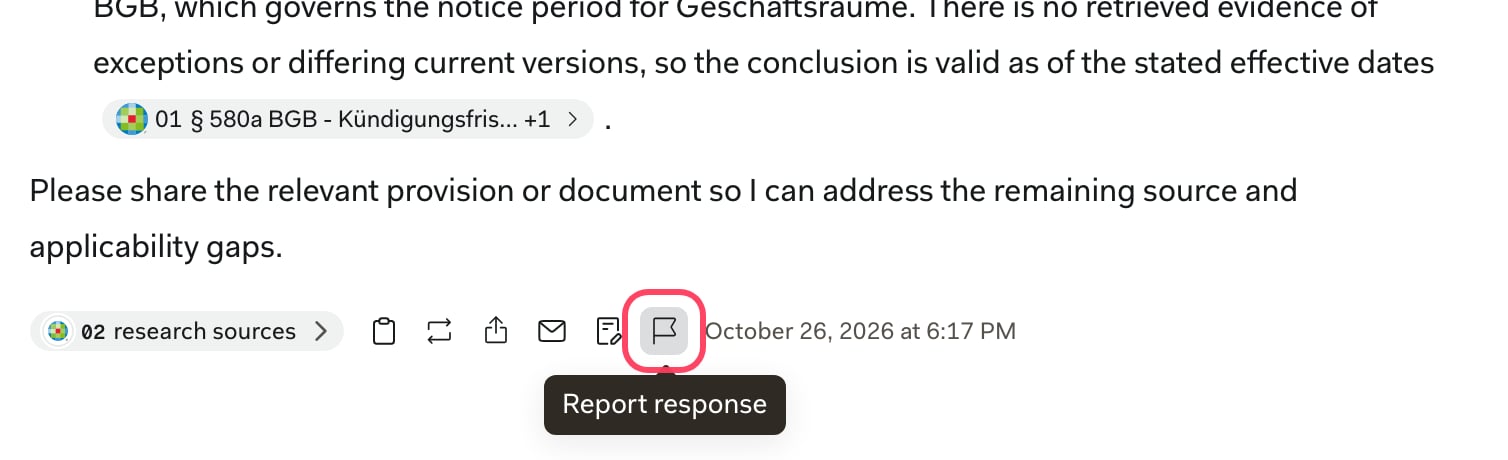
The flag icon sits below every response in your chats. Each report covers one response.1
Click the flag below the response
2
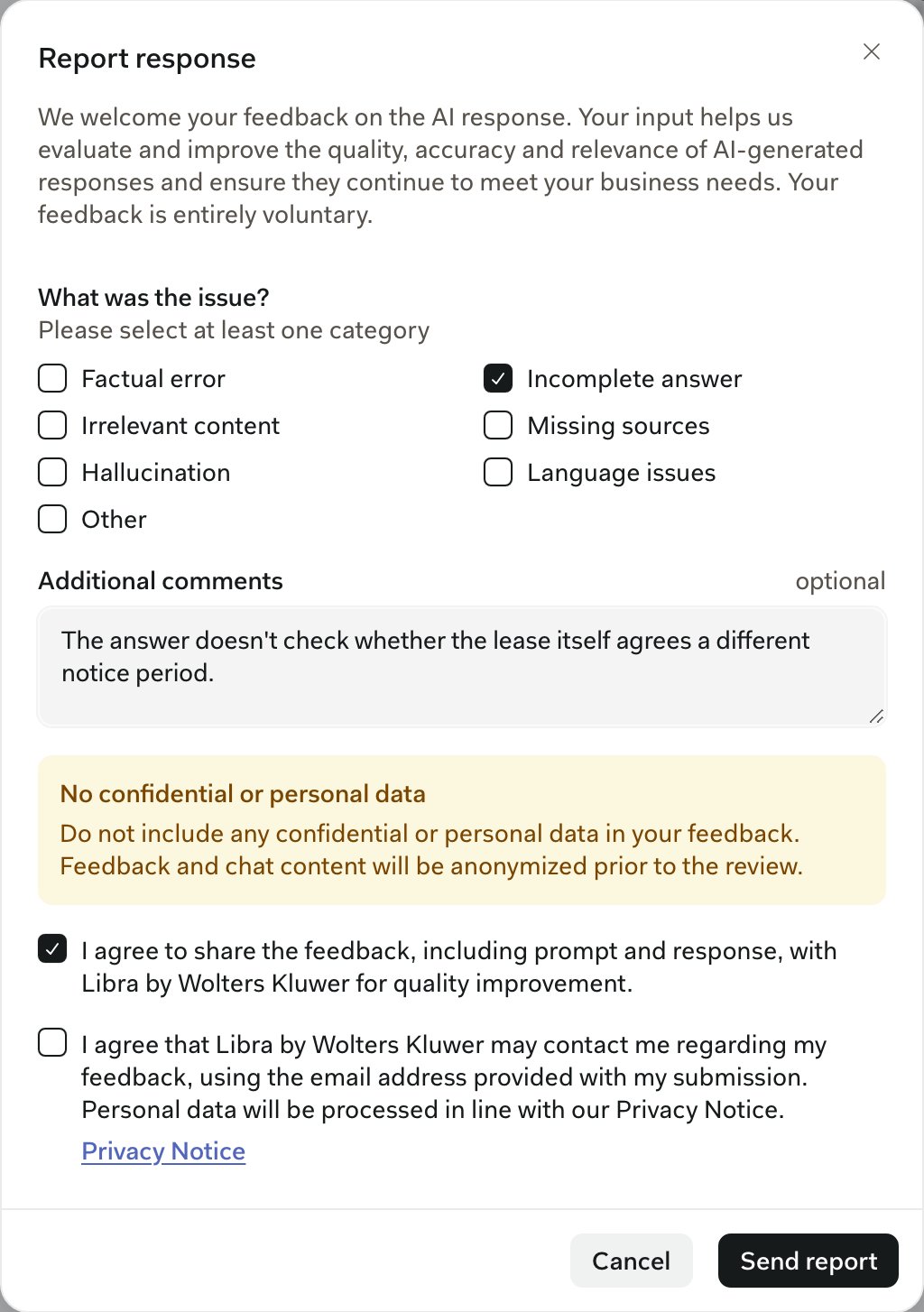
Choose what went wrong
3
Describe the issue (optional)
Under Additional comments, say what you expected instead. For example: “The answer cites § 580a BGB but doesn’t check whether the lease itself agrees a different notice period.” Leave out client names and any other confidential or personal data.
4
Agree to share, then send
Tick the box that lets us use the feedback, including your prompt and the response, for quality improvement. The second box is optional and lets us email you about your report. Click Send report, and a Report submitted message confirms it went through.
What happens to your feedback
Libra only receives feedback when you send a report. Nothing is shared automatically. The details below come from our product improvement procedure.How feedback is collected
How feedback is collected
When you submit feedback, Libra collects the two items below. Both are anonymised before any review of the reported feedback.
- Prompt: the instructions you gave Libra, including any information you entered into the chat. Uploaded documents are never collected as part of the feedback process.
- Generated response: the response Libra AI gave you. In some cases it contains information from your uploaded documents that was included in the final response.
How feedback is used
How feedback is used
Any feedback you submit is used solely for the continuous enhancement of the Libra product. It enables us to:
- Enhance product quality, accuracy and relevance, and resolve issues quickly
- Prioritize features and remediate issues to improve your experience
Handling, access and retention
Handling, access and retention
Libra stores and handles feedback data according to the governance rules of Libra by Wolters Kluwer. It is used only for approved purposes, and only approved team members can access it.Libra keeps feedback data for the following periods:
- Reported conversation data: up to 3 months
- Reported, anonymised user questions: up to 18 months