


Connect a research database once and the connection follows your account into the Word and Outlook add-ins too — no re-authenticating per surface. The document integrations work differently: SharePoint and Kleos are web-app only and don’t appear in the add-ins at all.
The general flow
1
Open Settings
Click your profile icon at the bottom of the sidebar, then choose Settings.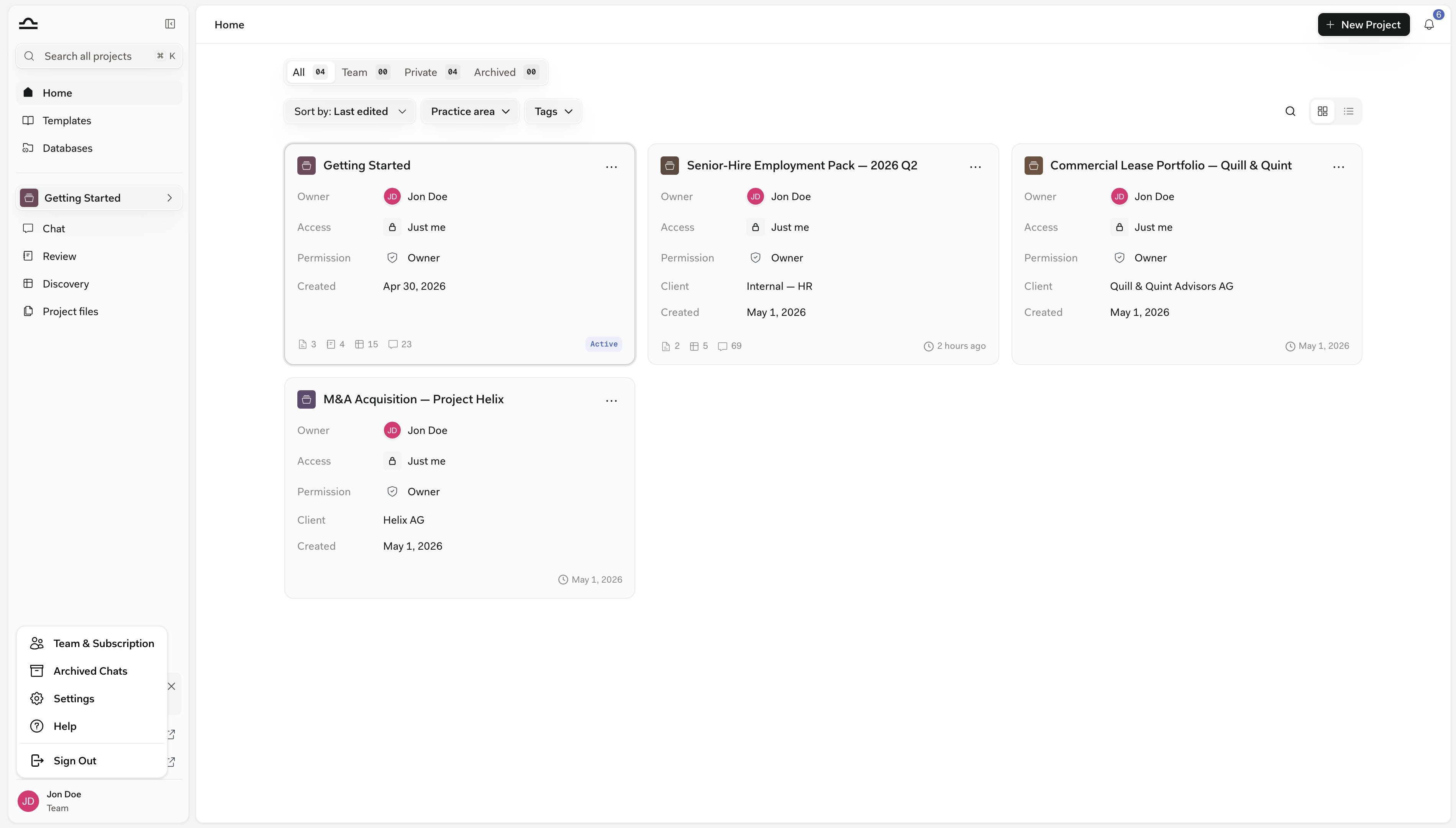
2
Go to the Integrations tab
Everything your firm can connect is listed as a row: provider icon, name, and a one-line description. Sources that need no connection — Statutes & Case Law, Handelsregister, Fedlex, OpenCaseLaw, Entscheidsuche, Zefix, European Union Case Law and the Unified Patent Court — are not listed here. They appear directly in the Research picker for your jurisdiction.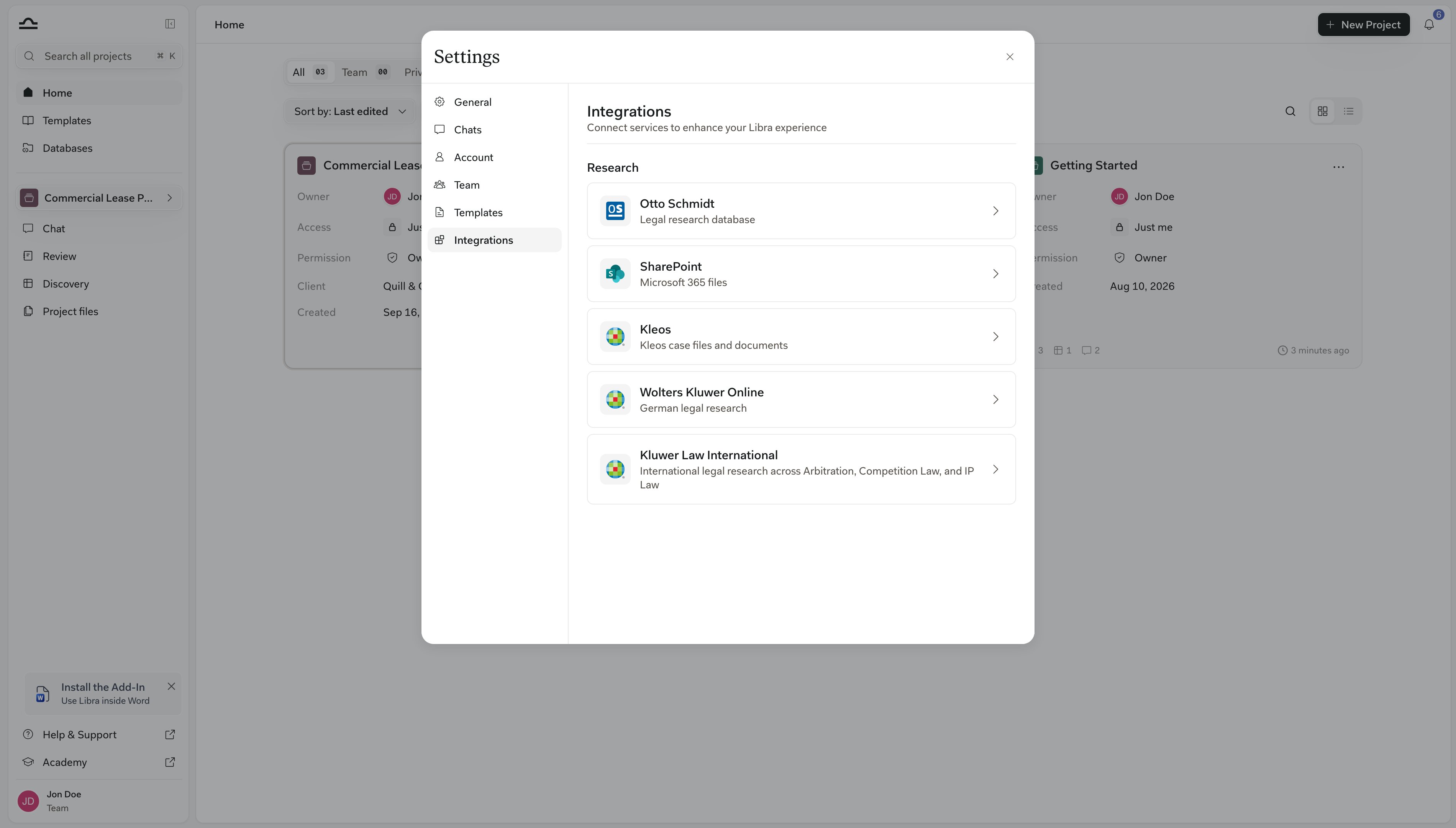
3
Open the source you want to enable
Click its row to open the source’s panel, then click Connect. A sign-in window opens for the provider; use the credentials your firm uses for the underlying subscription. (Stämpfli is the exception: access comes from your entitlement, so its panel offers Manage subscription rather than Connect.)
4
Authorise Libra
Confirm the access request. Libra remembers the connection.
5
The source is now available in Research mode
Open any chat, click Research, and the source appears in the picker. See Research mode.
What a connection gives you
Connecting a source proves your subscription and makes the database searchable in Libra. For six Wolters Kluwer products the connection does something narrower: it carries your entitlements, so Libra answers from exactly the content your firm subscribes to rather than from the database as a whole. Those six are Wolters Kluwer Online in Germany, InView Legal in Belgium, InView Tax and Legal Intelligence in the Netherlands, and One LEGALE in Italy, including its Penale module. The Dutch InView Legal is not one of them. You’ll notice the difference in three places. In the Research picker, the Connect card spells the rule out: Connect your account promises answers based on the content you are subscribed to. During a free trial the same card also offers Activate in free trial, which draws on all available content for the length of the trial; on a paid plan that option is not there. The source’s panel in Settings → Integrations repeats the rule once you are connected and offers View your content subscriptions, which opens your team’s Subscription page. And when an answer comes back with no citations at all, Libra says so instead of staying silent: “Libra didn’t find content in your activated sources.” That note means the search ran and your subscription didn’t cover the material — it isn’t a sign that the connection is broken. See Research mode for the wording of each variant.Included vs. Add-on
Two access tiers across the integrations.
The table below lists the tier for each source.
Sources by country
Which of these you can use depends on your jurisdiction, your subscription, and — for Add-on sources — whether your firm already has a subscription with the provider.
Two sources sit outside that table. monKEY is Wolters Kluwer’s Belgian knowledge base for accountants and tax professionals, and Kluwer Law International covers international arbitration, competition law and IP law rather than one jurisdiction. Both are Add-on, and both connect from Settings → Integrations like any other Wolters Kluwer source.
Beyond legal publishers, Libra connects to your firm’s own documents through SharePoint and OneDrive, and to matter files through Kleos. These document systems are web-app only — they don’t appear in the Word and Outlook add-ins.
Disconnecting a source
If you need to revoke a connection, whether switching providers, ending a subscription, or troubleshooting:1
Settings → Integrations
The same place you connected it.
2
Open the source and click Disconnect
Click the source’s row to open its panel, then click Disconnect and confirm. Libra removes the credentials.
3
The source needs reconnecting before you can use it again
Only your own access is removed. Colleagues who connected their own accounts are unaffected.
Disconnecting removes only your own connection, and you can reconnect at any time. Coordinate with your firm administrator only if the underlying subscription is ending, or if you need SharePoint turned off for the whole team — that is a separate Disable for Team control in the SharePoint integration settings, available to team admins.
Tips
Connect the integrations you use most first
Connect the integrations you use most first
No need to set up everything on day one. Connect the sources you reach for in your daily work; add the rest as you need them.
Tighter source selection beats more sources
Tighter source selection beats more sources
When asking a question in Research mode, enable only the sources you actually need. More sources doesn’t mean better answers; it usually means slower, less focused ones.
Check the source page for entitlements
Check the source page for entitlements
Each country has its own purchase model. The source’s own page lists the marketing URL where you can review the product or arrange a subscription.
Next steps

Research mode
Use a connected source in chat.
Your firm's documents
Connect SharePoint and OneDrive.