

German statutes and case law reach every German team without a Wolters Kluwer subscription — they arrive through a separate research source, Statutes & Case Law, which Wolters Kluwer Online also powers. Wolters Kluwer Online itself is the subscription layer on top: once connected, Libra answers from the premium content your firm actually subscribes to.

Name the field of law or the paragraph you mean, “Im Aktienrecht…”, “arbeitsrechtlich…”, ”§ 626 BGB”, and retrieval narrows to that corner of the library. Tighter question, tighter answer.
What it covers
Once you are connected, Libra searches the German legal content your firm’s subscription includes. The Wolters Kluwer Online panel in Settings → Integrations names four kinds it covers — Legal commentaries, Journals and articles, Legislation and Case law — and which titles sit behind each of them depends entirely on the modules your firm holds. See Premium modules below. German legislation and court decisions also reach you through Statutes & Case Law, which needs no subscription and nothing to connect; that page lists the courts it covers.Premium modules
Wolters Kluwer sells Wolters Kluwer Online as premium modules, each gathering the titles for one area of practice. Your firm subscribes to the modules it needs, and the connection you make in Libra carries those entitlements: Libra answers from the content included in your subscription and nothing beyond it. There is no module picker inside Libra. The Research panel shows a single Wolters Kluwer Online switch, and what it can reach follows from the connected account. (That is unlike Otto Schmidt, which is licensed per module and carries its own Select modules control.) The current module catalogue lives on the Wolters Kluwer shop.What you can ask
- “Welche Anforderungen stellt das Aktienrecht an die Einberufung der Hauptversammlung?”
- “Was gilt arbeitsrechtlich für eine außerordentliche Kündigung nach § 626 BGB?”
- “Wie ist der Meinungsstand zu § 305c BGB bei überraschenden Klauseln?”
- “Summarise the prevailing commentary view on directors’ liability under § 43 GmbHG.”
Setup
1
Open Settings → Integrations
Click your profile icon at the bottom of the sidebar, choose Settings, then the Integrations tab. Wolters Kluwer Online is listed there as German legal research.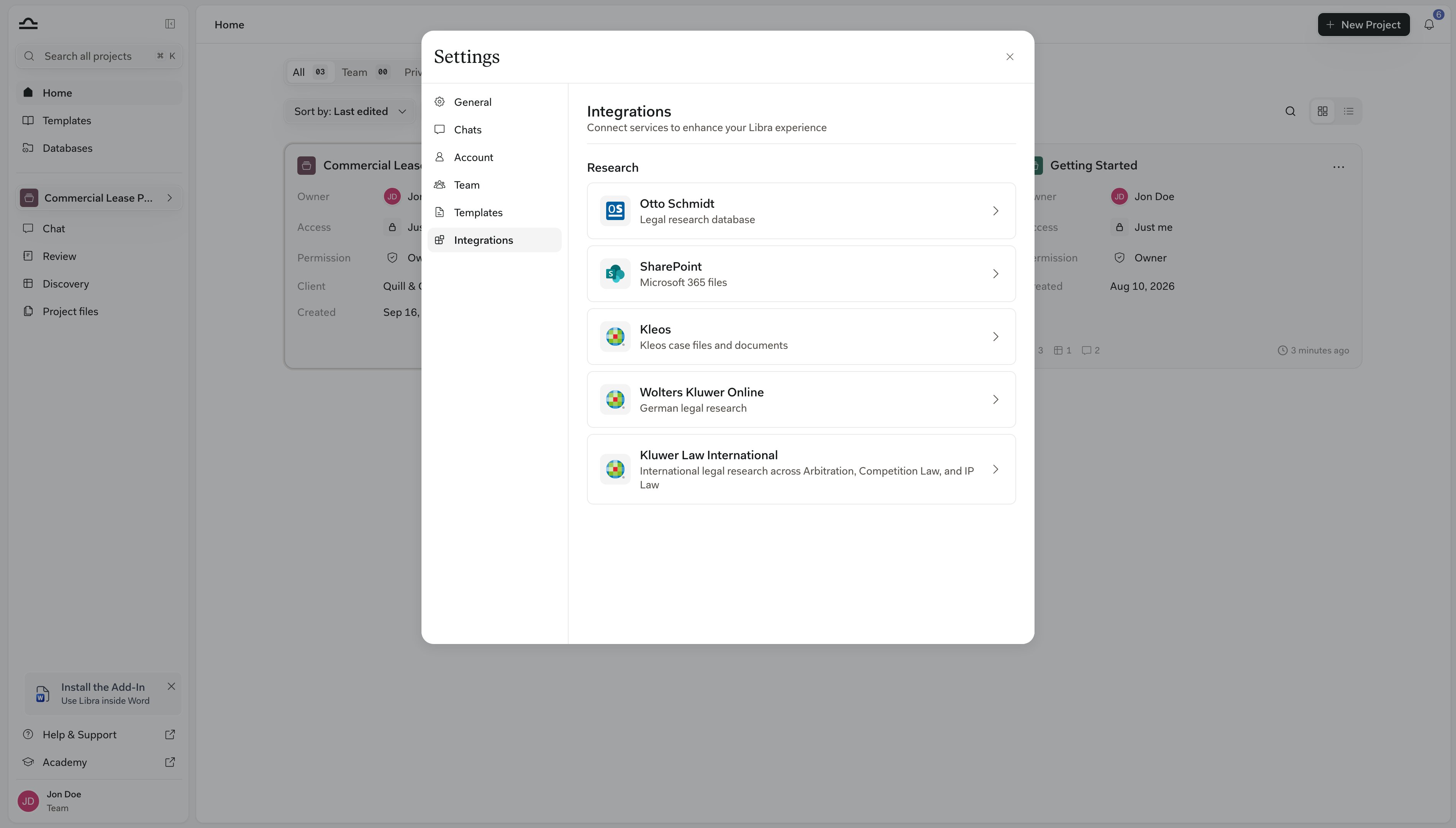
2
Open the row and click Connect
Click the row to open the Wolters Kluwer Online panel, then click Connect. A Wolters Kluwer sign-in window opens — use the credentials your firm uses for Wolters Kluwer Online. Once connected, the panel shows the account you signed in with, and Disconnect if you ever need to revoke it.
3
Turn the source on in Research
Open any chat, click Research, and switch Wolters Kluwer Online on when a question needs it. See Research mode.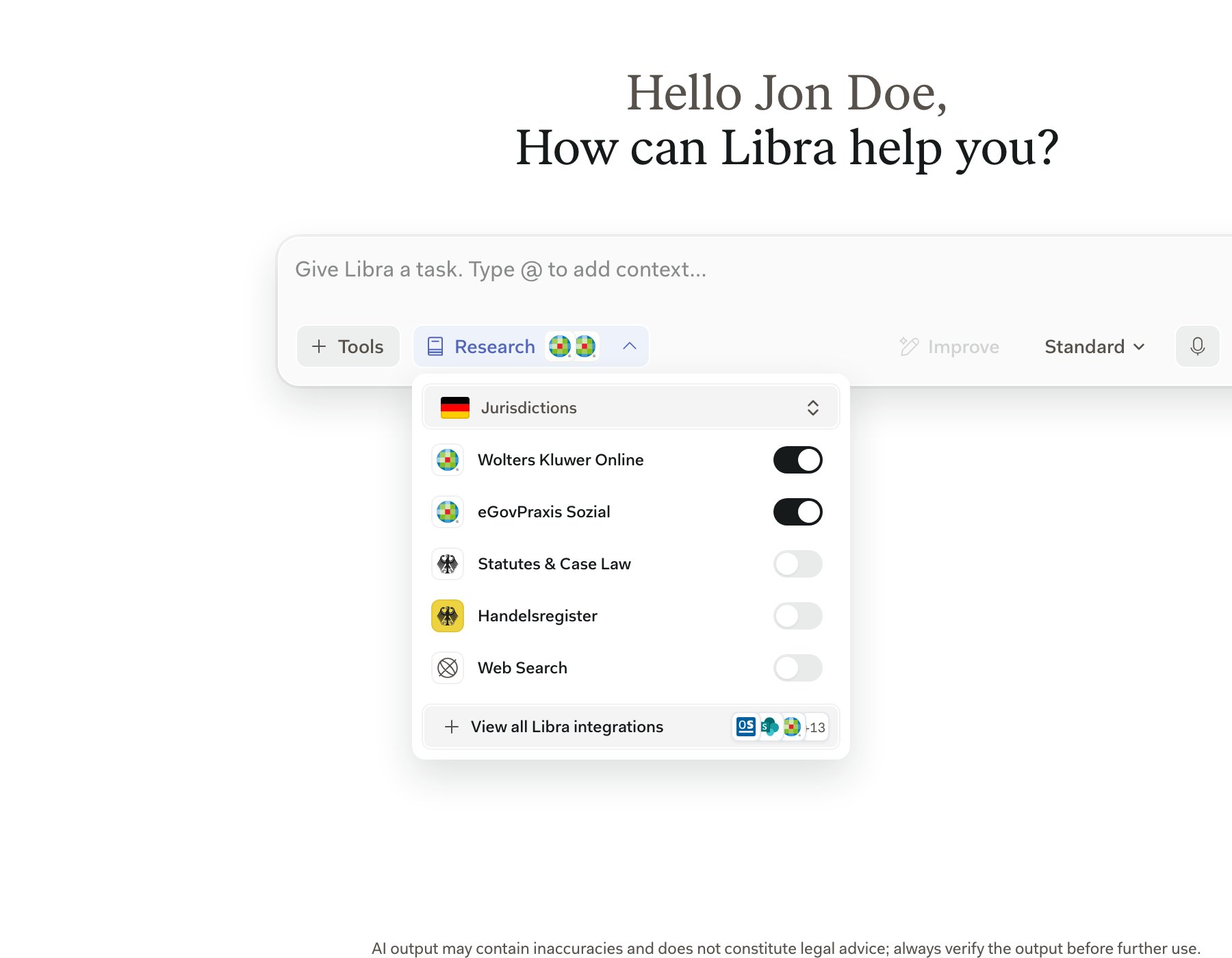
German public-sector collections
Wolters Kluwer’s German public-sector indexes are separate research sources rather than Wolters Kluwer Online modules. They appear as their own switches under Research in the Germany jurisdiction, and each is enabled for your team individually by Libra — a Wolters Kluwer Online subscription or connection does not grant them, and having one of them does not grant the others.
If you need one of these and don’t see it, ask your firm administrator to raise it with Libra.
Combining with other German sources
Tips
State the statute number when you know it
State the statute number when you know it
”§ 626 BGB” gets a tighter answer than “German employment termination.”
Name the field of law
Name the field of law
“Im Arbeitsrecht…” / “Aus Sicht des Aktienrechts…” narrows retrieval to the part of your firm’s subscription that actually answers the question.
Leave Statutes & Case Law on
Leave Statutes & Case Law on
It costs nothing, it is the source that carries German legislation and court decisions, and it is independent of your Wolters Kluwer Online entitlements. German teams also get it without touching Research at all: the Enable Statutes & Case Law setting under Settings → Chats is on by default and lets any model reach for German statutes and case law when a question calls for it. See Research mode.
Next steps
Otto Schmidt
Add commentary depth: Zöller ZPO, Erman BGB, MDR.

Research mode
Use Wolters Kluwer Online in any chat.