

A project holds the documents of one matter. A database holds the documents your firm reaches for in every matter: the precedent bank, a client’s complete contract set, the regulation you check each draft against. You assemble it once, share it with the team, and any chat, Review or Discovery in any project can draw on it.

A simple test: if you will need a document in the next matter as well, put it in a database. If it belongs to this matter only, keep it in Project files.
Find and open a database
A database sits outside every project, so you reach it from the global part of the sidebar rather than from inside a matter.1
Open Databases in the sidebar
Databases sits in the global part of the sidebar, next to Home and Templates, above the project switcher, because it doesn’t belong to any one project.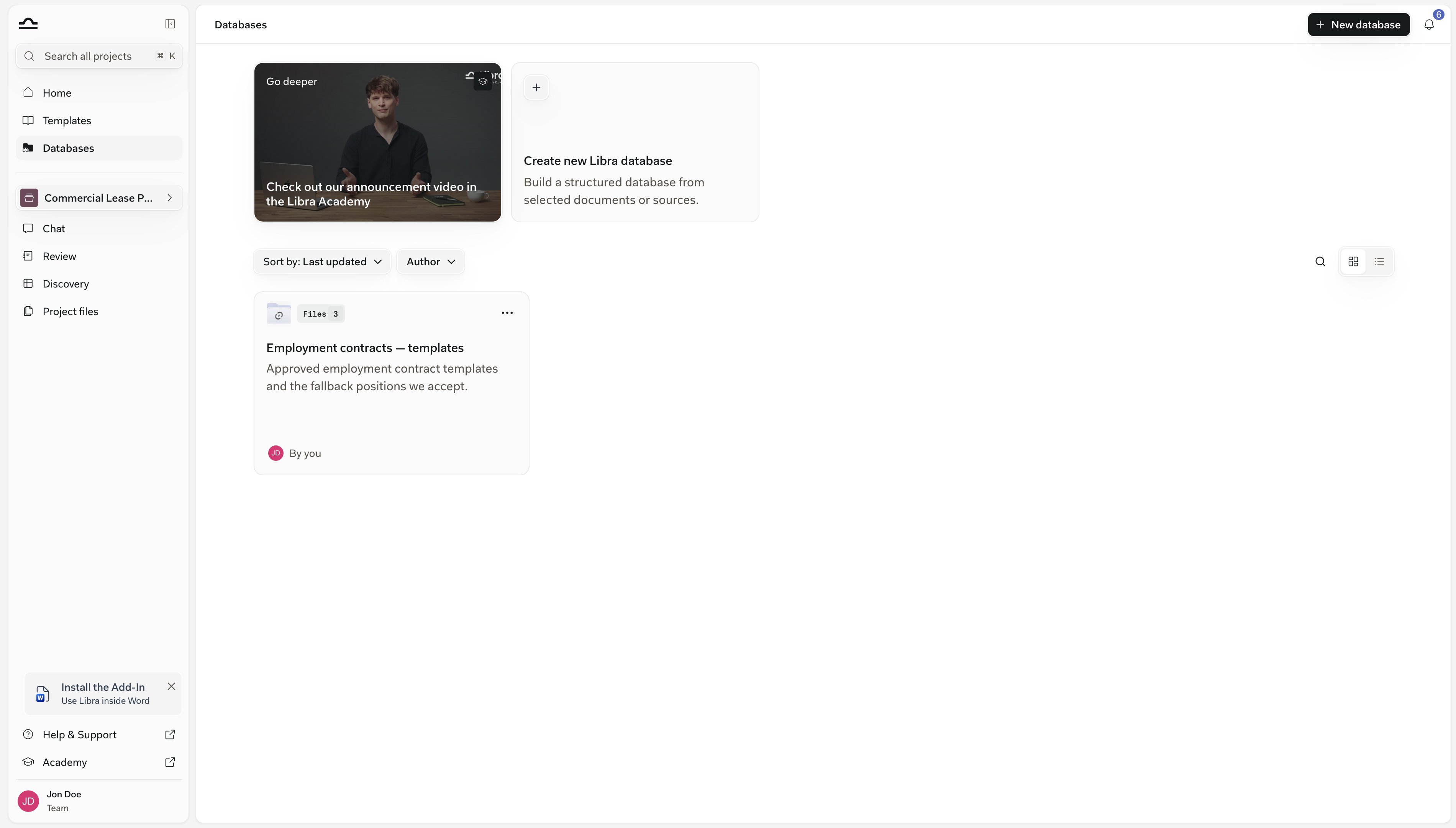
2
Pick one from the list
Type in Search databases to filter by name or description. Each database shows its file count and who built it. Switch between cards and a list with the toggle on the right, sort by Last updated, Date created or Name, or filter by Author. Favourites always sit at the top, whatever the sort; see Rename or favourite a database.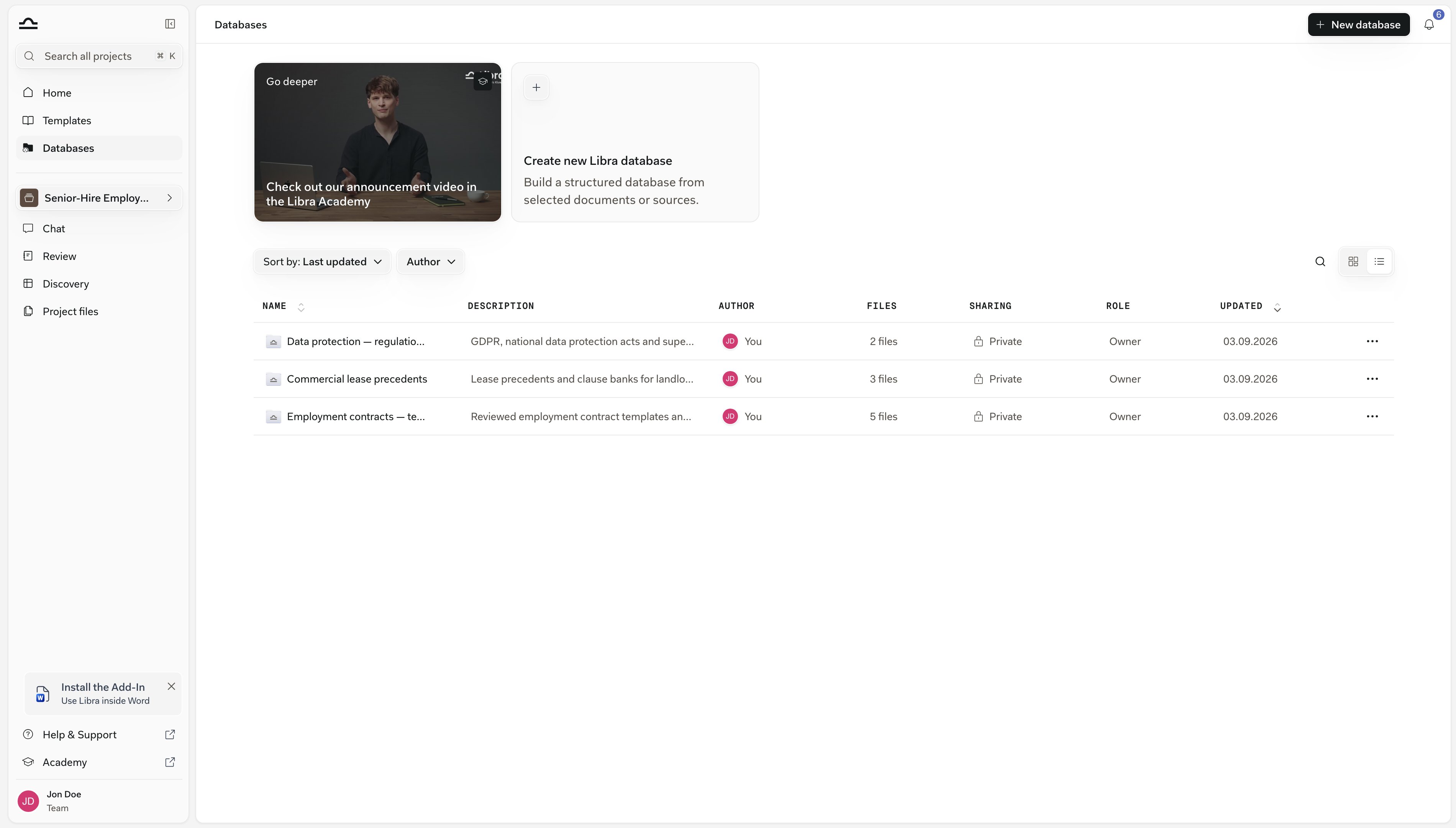
3
Open it
Inside, a database looks and works like a project’s file panel: folders, a ⋯ menu on every row, and a menu behind the database’s name in the breadcrumb where Add to chat puts the whole set in front of Libra. Everything you can do from here is on Usage.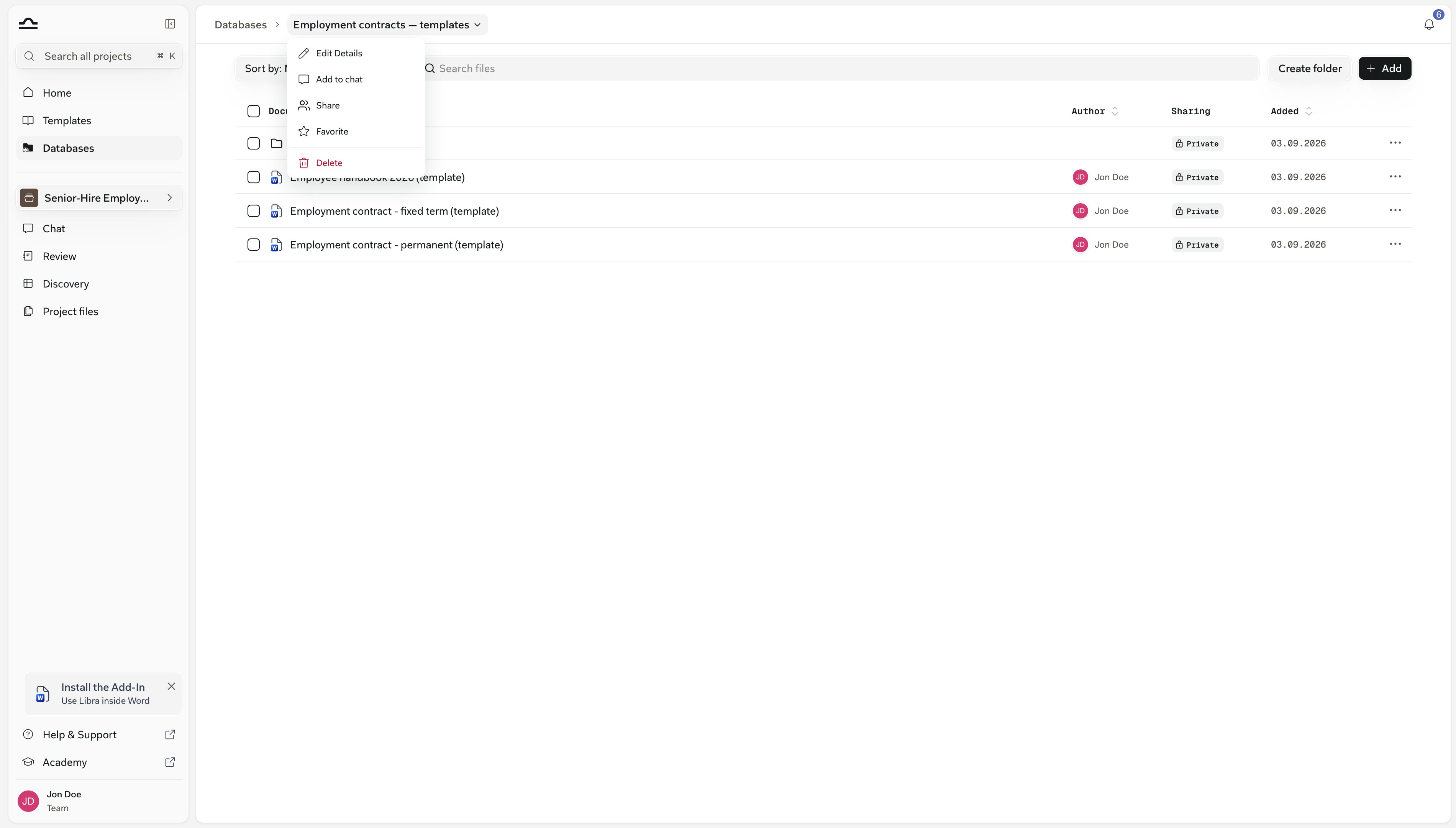
The two kinds of database
Which kind you want comes down to one question: where should the authoritative copies of the files live?
You pick the kind when you create it: New database → New Libra database (Setup) or Add Sharepoint folder (SharePoint databases).
Common questions
Who has Databases
Who has Databases
Databases is in every team’s sidebar. What differs is access, and that follows your plan.On Team, a pilot, or a trial with preview it opens normally. Below that it opens a locked page offering Upgrade plan — which takes you to Subscription — or Enable team features.If the entry is missing altogether, your team has document uploads switched off. Ask your Libra account team; there is nothing an administrator can switch on inside Libra.
Databases and Project files, side by side
Databases and Project files, side by side
A document can be in both at once; see Reuse documents already in Libra.
Not the research databases
Not the research databases
Databases hold your firm’s own documents. The legal research sources you pick under Research in a chat are a different thing; see Research mode.
Next steps
Setup
Create a database and fill it from your computer, the workspace or a connected app.
Usage
Add it to a chat, read the citations, use its documents in a Review or Discovery, keep it in order.
SharePoint databases
Link a folder instead of uploading.