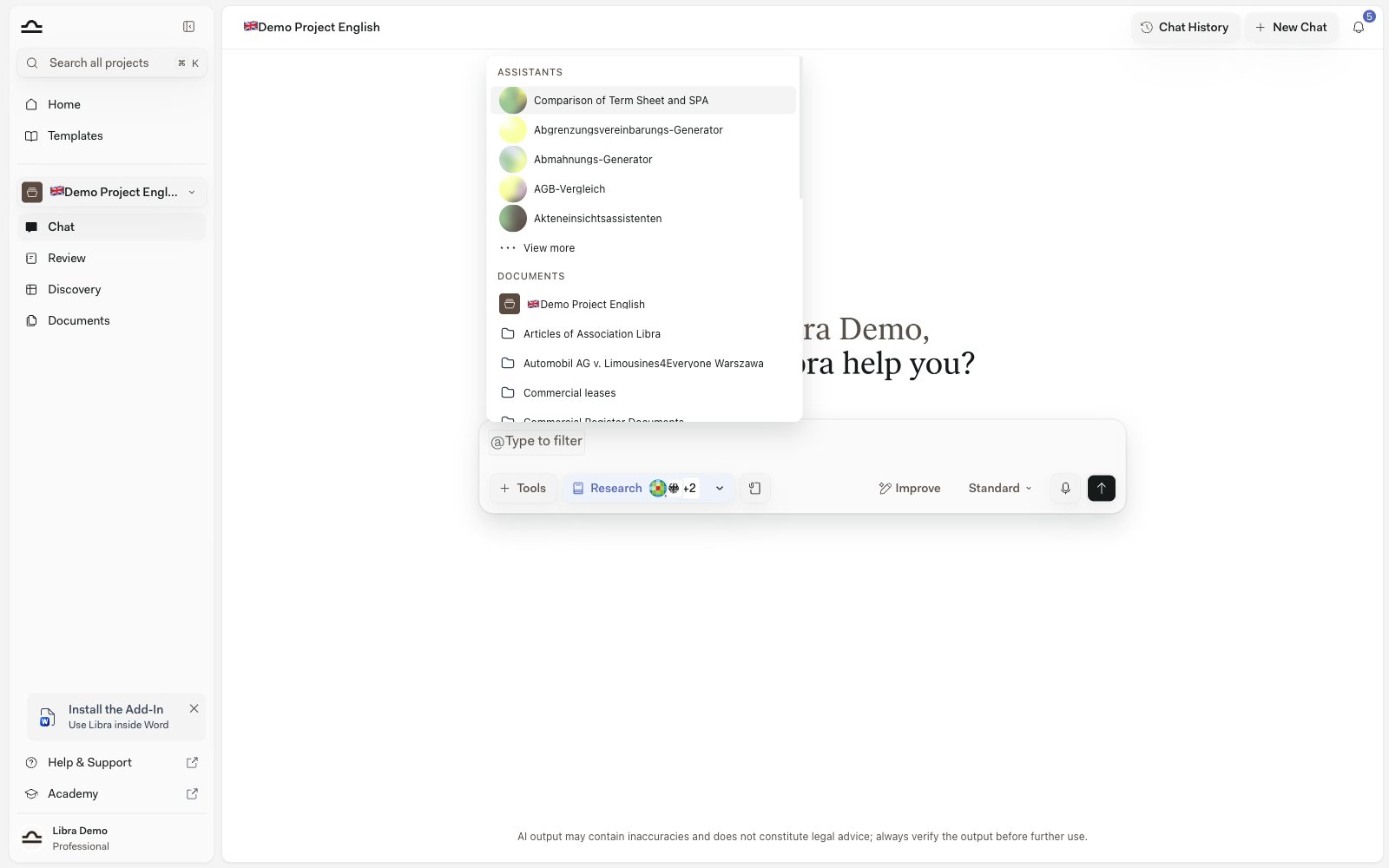
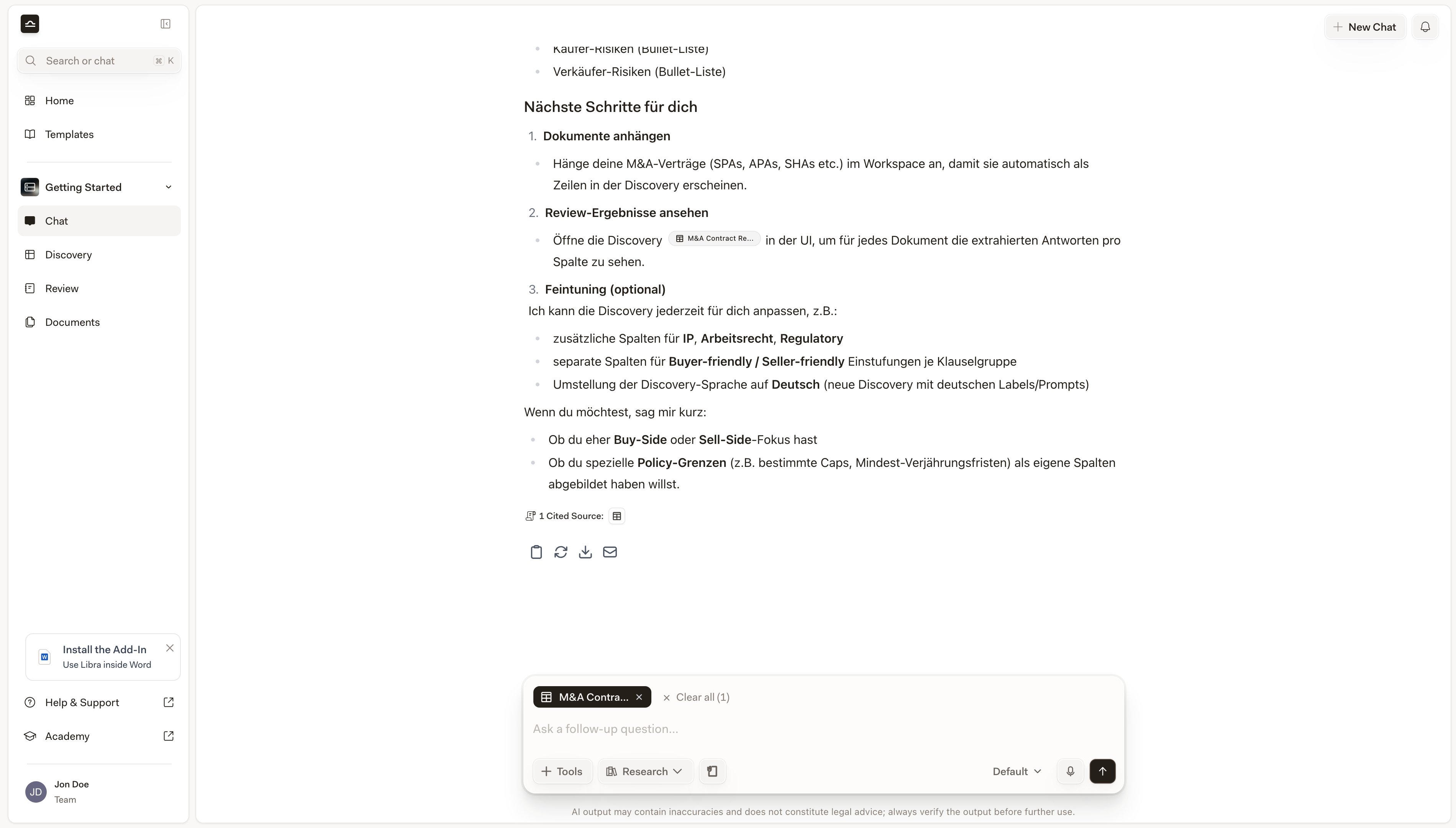
Create a Playbook, a Review, or a Discovery directly from a chat. Libra works out which tool you mean, asks for what it needs, and shows the result in the conversation.
Chat is the fastest way to start a Playbook, a Review, or a Discovery; you don’t have to leave it. Either pick Tools → Create new explicitly, or just describe what you want and Libra figures out which tool to use.
Whatever you create auto-attaches as @-context for your next message, so “now draft a partner email on high-risk Topics” just knows.
Creating something takes a little more than a prompt. The chat has to sit in a project, because that’s where the result is filed — without one, the Create new entries stay greyed out and the tooltip reads Select a project to create reviews or discoveries. You also need edit access to that project: view-only members get You need edit access. Ask a project admin for edit rights or switch projects.The chat has to be a saved one. With Chat History switched off on the Chats tab in Settings every new conversation is a Temporary Chat, and temporary chats can’t create anything — Resource creation is disabled for temporary chats. Creation is also a paid capability: on a Starter plan all three entries are disabled and hovering one offers an upgrade to Professional. See Subscription.Finally, attach the documents before you send. A Review runs against whatever is attached to the message — with nothing attached Libra asks you to attach the document you want reviewed instead of starting anything — and a Discovery has nothing to extract from without them.
Click Tools above the chat input, then Create new and pick Playbook, Review, or Discovery. The armed mode appears as a pill in the composer’s toolbar row, next to Tools and Research — click the pill again to cancel it. Type your prompt and send.
Implicit, Libra picks
Just type a prompt that implies a Review or a Discovery (“compare these contracts on confidentiality terms”, “check this against our standard NDA terms”) with documents attached, and Libra decides which tool to call. When Libra starts a Review this way, it goes through the same Playbook chooser as the explicit route.
A Playbook is a saved Review framework: the Topics you negotiate, the Positions you’d accept for each, and the Rules that test them. You can draft one in conversation instead of building it in the editor.
1
Pick Tools → Create new → Playbook
A Playbook pill appears in the composer’s toolbar row.
2
Say what it should check, and attach anything to work from
Name the contract type and the side you act for — “a Playbook for reviewing standard German employment contracts from the employer’s side, covering working time, remuneration, probation and termination”. If your firm already has a checklist or positions document, attach it and Libra derives the Topics, Positions, and Rules from it.
3
Refine it in the same conversation
Libra answers with a Playbook created card listing the Topics. Keep going in chat to add, rename, or delete Topics; the card comes back as Playbook updated with the change applied.
4
Use it
The new Playbook is saved and attached to your next message, so you can run a Review against it straight away. It also shows up on the Review page under My Playbooks and in the Templates library.
Pick Tools → Create new → Review (or just describe what you want)
A Review pill appears in the composer’s toolbar row.
2
Attach the documents and write the prompt
Drop in the contracts you want reviewed. Type a prompt that describes what to check, like “review these against our standard NDA terms” or “check confidentiality, term, and termination clauses”.
3
Choose the Playbook Libra should apply
Libra doesn’t invent a rubric on the spot. Every Review started from chat runs against a Playbook, so the conversation pauses on a chooser headed Select which Playbook Libra should apply to Review the document. Hovering a row gives you Preview, which opens that Playbook read-only so you can check what’s in it, and Select, which commits to it. If you have only a handful of Playbooks they’re all listed; with more, Libra ranks them against the attached documents and your prompt and offers just its best few matches — the search box and Browse all Playbooks reach the rest.The search box (Search for another template…) filters the list, Browse all Playbooks opens the full library, and Create a new Playbook hands the turn over to Playbook drafting — Libra builds a new Playbook from the attached documents and your instructions, then tells you it’s ready. It stops there on purpose: ask for the Review once you’re happy with the Playbook. The chooser waits for you — it survives a page reload, and you can dismiss it if you change your mind. Attach exactly one Playbook to the message yourself and Libra skips the chooser and uses it.
4
Watch the Review fill in, Topic by Topic
Once you’ve picked, a Review created card appears with the Review title and its Topic and document counts. Each Topic streams in as a numbered row with a risk tag, showing EVALUATING until it resolves. You don’t have to wait for the whole Review to finish to start reading, and clicking a row jumps straight to that Topic.
5
Open Review for the full screen
The card has two buttons. Open preview shows the finished Review read-only without leaving the conversation; Open Review opens the full Review screen, where each Topic carries its reasoning with document citations, its Positions with Met counts, and a Verify checkbox, and where you can add, edit, re-run, or delete Topics and Export the result.Because the Review is backed by a Playbook, editing a Topic asks whether to Update playbook & review or change Only this review — so an improvement you make while reading can flow back into the Playbook for next time.
6
Auto-attached for follow-ups
The created Review is automatically attached to your next message in the chat, so a follow-up like “now draft a redline email summarising the high-risk Topics” knows about it.
Reviews started from chat are scoped to the chat’s project and filed in that project’s Reviews folder in Project files.
The flow is shorter, because Discovery needs no Playbook: Libra designs the columns from your prompt.
1
Pick Tools → Create new → Discovery (or just describe what you want)
A Discovery pill appears in the composer’s toolbar row.
2
Attach the documents and describe the columns
“Extract employee name, job title, and home office location for each contract”. Libra builds a Discovery with those columns and runs it across every document attached to the message.
3
Send
Libra creates the Discovery, runs the extraction, and shows a Discovery created card. Each row corresponds to one document; columns appear as Libra extracts them.
4
Open Discovery to refine
Click Open Discovery on the card to open the full Discovery view. Add or remove columns; the Discovery re-runs immediately for any new column.
There’s nothing to save afterwards. The Playbook you picked — or the one Libra built with you during the flow — is already in your library, and the Review’s header says Saved as Playbook instead of offering a save button. Run it again on the next contract from the Review page or the Playbook chooser.
2
A Discovery takes one click
On the full Discovery screen, Save as Template sits in the header next to Author and Updated. It saves immediately, with no dialog: the new template takes the Discovery’s own title and its columns, and the button briefly confirms with Saved as Template before returning to normal.
3
Find it again in the library
Saved Discovery templates appear in the Templates library under Discoveries, Playbooks under Reviews. Practice areas and tags are set on the template there, not during the save — see Practice areas & tags and About templates.
Reviews and Discoveries need documents to work on. Ask for a Review with nothing attached and Libra won’t start one — it asks you to attach the document you want reviewed first.
Be specific about what to check or extract
“Review this NDA” leaves Libra guessing which of your Playbooks fits. “Review for confidentiality scope, term length, and remedies for breach, flagging deviations from a standard buyer-friendly NDA” both narrows the ranking in the chooser and gives a focused Review.
Preview before you select
The chooser’s Preview opens a Playbook read-only in place. Two Playbooks with similar names are much easier to tell apart from their Topics than from the title.
One Review or Discovery per chat works best
Multiple in one chat works, but the chat gets cluttered with multiple cards. For the cleanest workflow, one Review or Discovery per chat, then a follow-up chat for the next one.
Improve the Playbook while you read the Review
When a Topic comes back with a rule that was too loose or too strict, edit it on the Review screen and choose Update playbook & review. The next matter starts from the better version.
Use Reference in chat for follow-up reasoning
Once a Review or Discovery exists, attaching it as @-mention context for follow-up questions gives you precise, citation-backed answers. See Reviews from chat and Discovery from chat.